
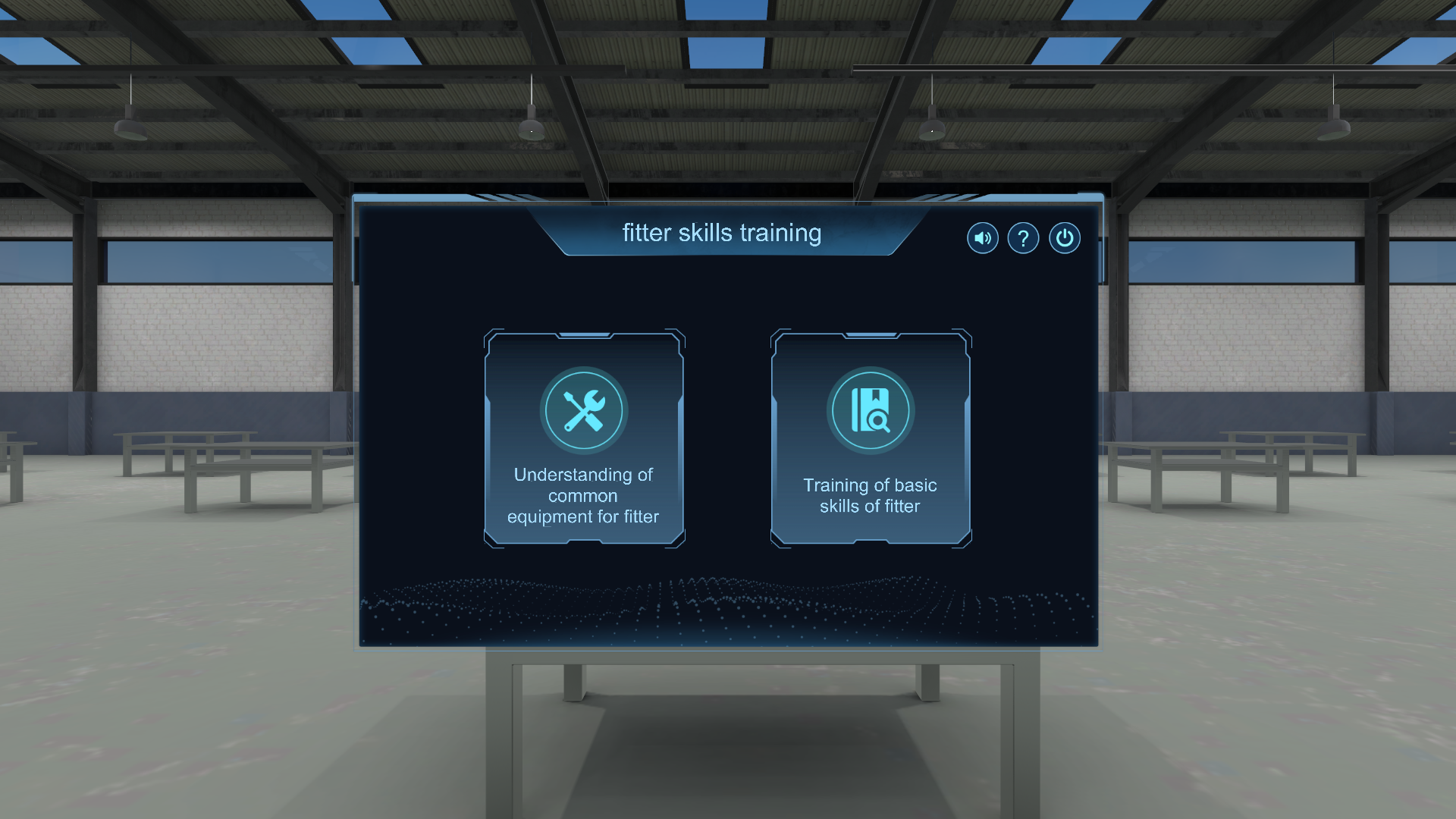
In today’s rapidly evolving technical landscape, the demand for skilled tradespeople especially fitter technicians that has never been higher. Traditional hands‑on training in workshops and physical labs is essential, but it also comes with high material costs, safety risks, and logistical constraints. Enter Fitter Simulation Software: a next‑generation virtual training system designed to transform how fitter skills are taught, learned, and mastered.
Fitter Simulation Software is an advanced training platform that replicates real workshop environments and tasks in a 3D virtual space. Powered by cutting‑edge game engines such as Unity 3D, this software enables students and trainees to practice essential fitter skills through realistic simulations all without the need for physical materials, workshop space, or tools.
What Is Fitter Simulation Software?
At its core, fitter simulation software is a virtual interactive learning tool that recreates the working environment of a fitter which a skilled tradesperson involved in assembling, aligning, cutting, filing, and fitting metal components as part of fabrication or maintenance work. Using this software, learners can navigate through virtual scenarios, interact with tools, and complete tasks that mirror the real world but in a safe and controlled digital space.
Unlike conventional e‑learning modules, the simulation provides immersive 3D environments where students can see, hear, and even receive visual and audio guidance as they perform tasks such as marking, sawing, filing, and measuring. It is critical skills in vocational training.
Key Features of Fitter Simulation Software
🎯 Realistic 3D Workshop Environment
The software creates a digital representation of a real fitter’s workspace, complete with tools, equipment, and virtual workpieces. Learners feel as though they are in an actual workshop with minus the noise, risk, and cost associated with physical materials.
🛠️ Guided Skill Modules
Fitter simulation is structured into step‑by‑step training modules:
Marking Module: Learners practice marking lines and indicators on virtual metal bars using standard tools while guided by voice prompts and visual aids.
- Sawing Module: The software teaches proper sawing posture, blade handling, and cutting techniques using a simulated saw.
- Filing Module: Students learn correct flat filing techniques using interactive controls with real‑time visual and audio guidance.
These modules support learners at different proficiency levels and can be repeated infinitely, which is essential for mastery through practice.
Why Fitter Simulation Matters
Cost‑Effective Training
One of the biggest advantages of simulation software is the significant savings it delivers. Traditional fitter training requires materials like steel bars, saw blades, marker tools, and consumables all of which accumulate cost over time. Simulation eliminates these expenses by providing a virtual environment where students practice without wasting physical resources.
Safe Learning Environment
Workshops can be dangerous especially for beginners. Sharp tools, heavy equipment, and physical hazards are part of a fitter’s daily routine. Simulation software removes these risks entirely: learners can make mistakes in a virtual setting without causing injury or damage.
Enhanced Engagement and Retention
Interactive simulations are more engaging than traditional textbook‑only methods. The 3D visuals, hands‑on tasks, and immediate feedback help learners stay focused and retain knowledge more effectively. This immersive experience builds confidence and competence before trainees step into a real workshop.
Repeatable Practice
In the real world, setting up tasks repeatedly comes with material costs and time investment. With simulation, students can repeat any module endlessly making it easier to refine skills, correct errors, and build proficiency at their own pace.
Bridges Theory and Practice
Simulation software serves as a bridge between theoretical classroom learning and hands‑on workshop experience. It reinforces classroom concepts by allowing learners to apply theory in simulated practical scenarios, which enhances overall learning outcomes.
Who Benefits from Fitter Simulation Software?
 Vocational and Technical Students
Students in TVET (Technical and Vocational Education and Training) institutions can practice core fitter skills even without access to fully equipped workshops. This greatly expands learning opportunities.
 Instructors and Trainers
Teachers can assign modules, monitor student progress, and customize training based on individual learning needs all through the software interface.
 Industry and Corporates
Companies seeking to upskill their workforce can use simulation software for onboarding and continuous training, improving workforce competence while reducing downtime and costs.
Conclusion
Fitter Simulation Software represents a powerful leap forward in vocational training that blending technology with craftsmanship. It provides a cost‑effective, safe, engaging, and repeatable way for learners to develop essential fitter skills in a virtual environment that mirrors real‑world scenarios. As industries worldwide continue to embrace digital transformation, tools like fitter simulation not only enhance learning outcomes but also prepare a skilled workforce ready for the challenges of tomorrow.
For more info or any inquiries, contact us
Tel: 05-3665621 / 019-3132353
Email: info@weldmart.com.my
Address: No. 3 & 3A, Persiaran Batu Gajah Perdana 7,
Pusat Komersial Batu Gajah Perdana,
31550 Pusing, Perak.